New Updates to DeltaV SaaS SCADA December 11th, 2025
Last modified:
DeltaV SaaS SCADA Promotion includes:
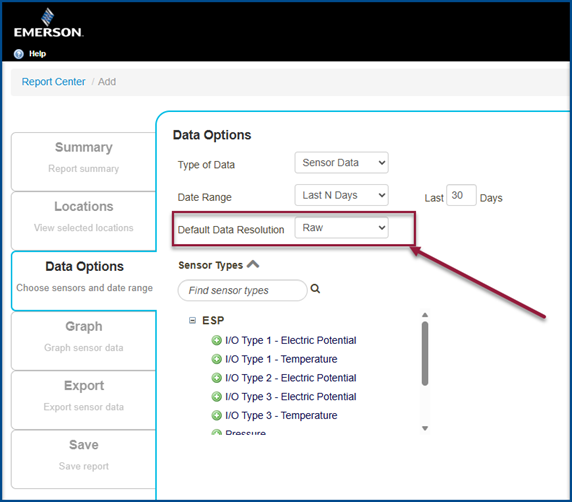
- Report Center Default Data Resolution: Users can now set a company-level default for data resolution in the Report Center.
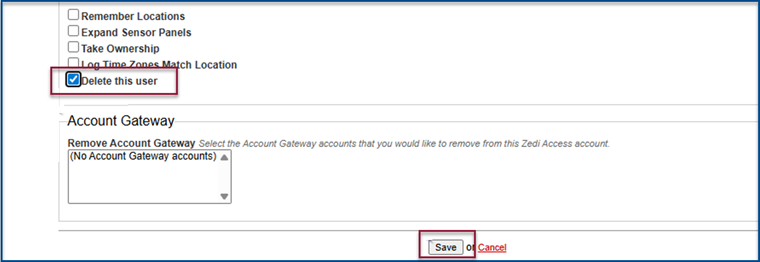
- Deleting Users from Groups: When a user is deleted, they will automatically be removed from all associated groups.
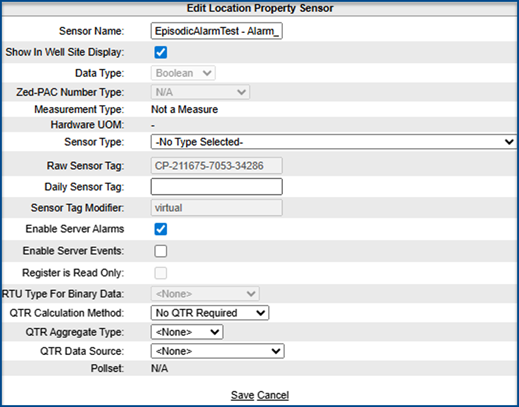
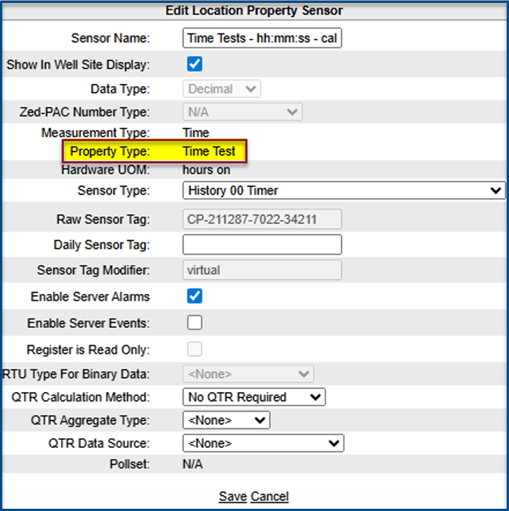
- Property Type displayed: Property types are now visible on the Edit Location Property Sensor page.
☁️ DeltaVSaaS.Support@Emerson.com | 📞 866 732 6967 | 🌐 Global Support
Report Center Default Data Resolution
Admins can now set a company-level default for data resolution in Report Center.
To set default resolution:
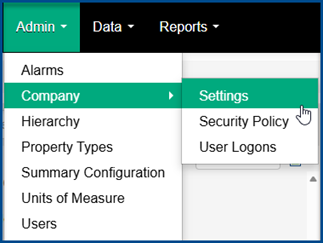
1. Select:
a. Admin
b. Company
c. Settings
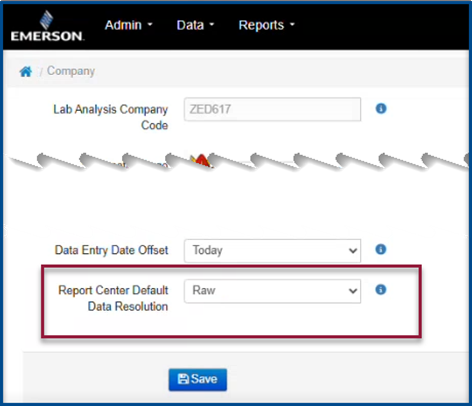
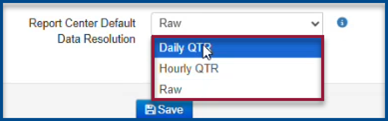
2. Select preference in Report Center Default Data Resolution.
- Raw
- Daily QTR
- Hourly QTR
3. Select Save to apply changes.
4. When creating a new report, the default data resolution will automatically reflect the company settings.
Deleting Users from Groups
When a user is deleted, they will now be automatically removed from all groups.
Before:
Users could not be deleted if they belonged to a group. They had to be manually removed from each group first.

After:
Selecting Delete this user will remove the user from all groups and from Emerson users in one step.

Property Type displayed
Property types are now visible on the Edit Location Property Sensor page.
Before:
Property Type was not displayed.
After:
Property Type is displayed for easier reference.
DeltaVSaaS.Support@Emerson.com | 📞 866 732 6967 | 🌐 Global Support